Week 2
PRESENTATION
Presenting our Topics

To start off our first proper lesson, we were tasked to present to our classmates our proposed topic for our dissertation. I felt that the presentation was really helpful for me in terms of helping me flesh out my thoughts around my topic and also to better reflect on what I want to achieve when I complete my graduation project.
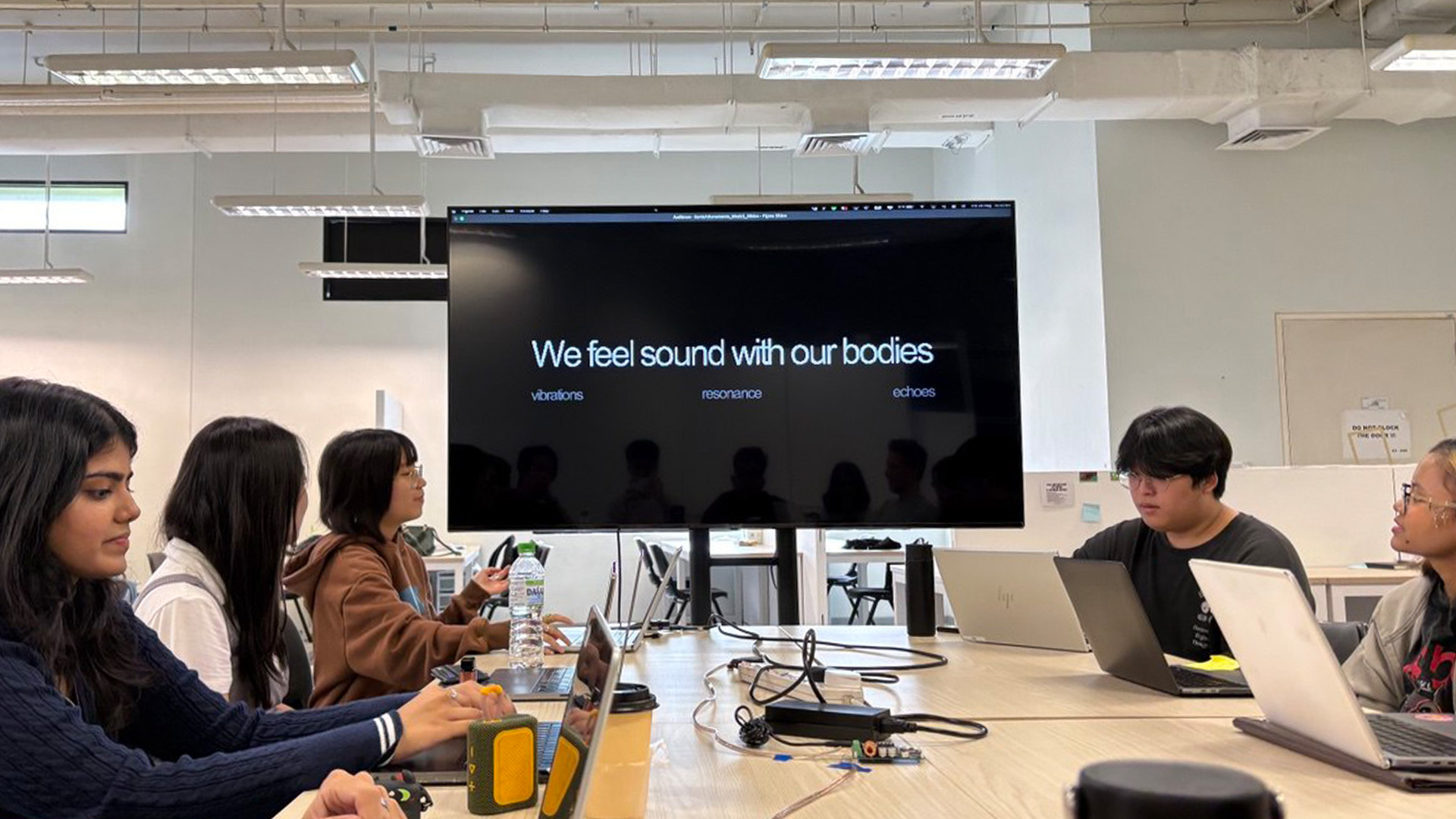
Shot of Letitia presenting because I don't have a picture of me...

Presentation Feedback 1. Fragmented Nature of Experiments

Andreas felt that the presented past works were fragmented in both technique and concepts. It will be great if they can be connected more cohesively.

2. Niche down on Topic

A wake up call. Currently, my topic seems quite broad. My pillars of "Human Emotions" and "Human Behaviors" can be narrow down more specifically. What type of emotions and behavior am i looking at?

3. Focus on Iteration

This was one of the key takeaways for me. Andreas shared that he wishes that we would focus on iterating on one technique / concept, instead of just jumping to a new one. This will help us get really good at what we want to do and take our project up a few levels.

Post Presentation Reflections

After the feedback, I got more worried about my current research direction. Niching down further won't be that easy, as I have to research more and think harder about what exactly I want my project to be about. Luckily, Andreas did share with us some useful tools (Iceberg Tech etc) so I am hopeful that I can use them to help me with this dilema. On the topic of making, I will look to be more deliberate with my experiments and work on iterations instead of just jumping to new ideas quickly!
HAD A GREAT PRESENTATION WHICH HELPED ME TO
FIGURE OUT WHAT TO DO NEXT!
CASE STUDY 02
A Visit to Singapore Night Festival

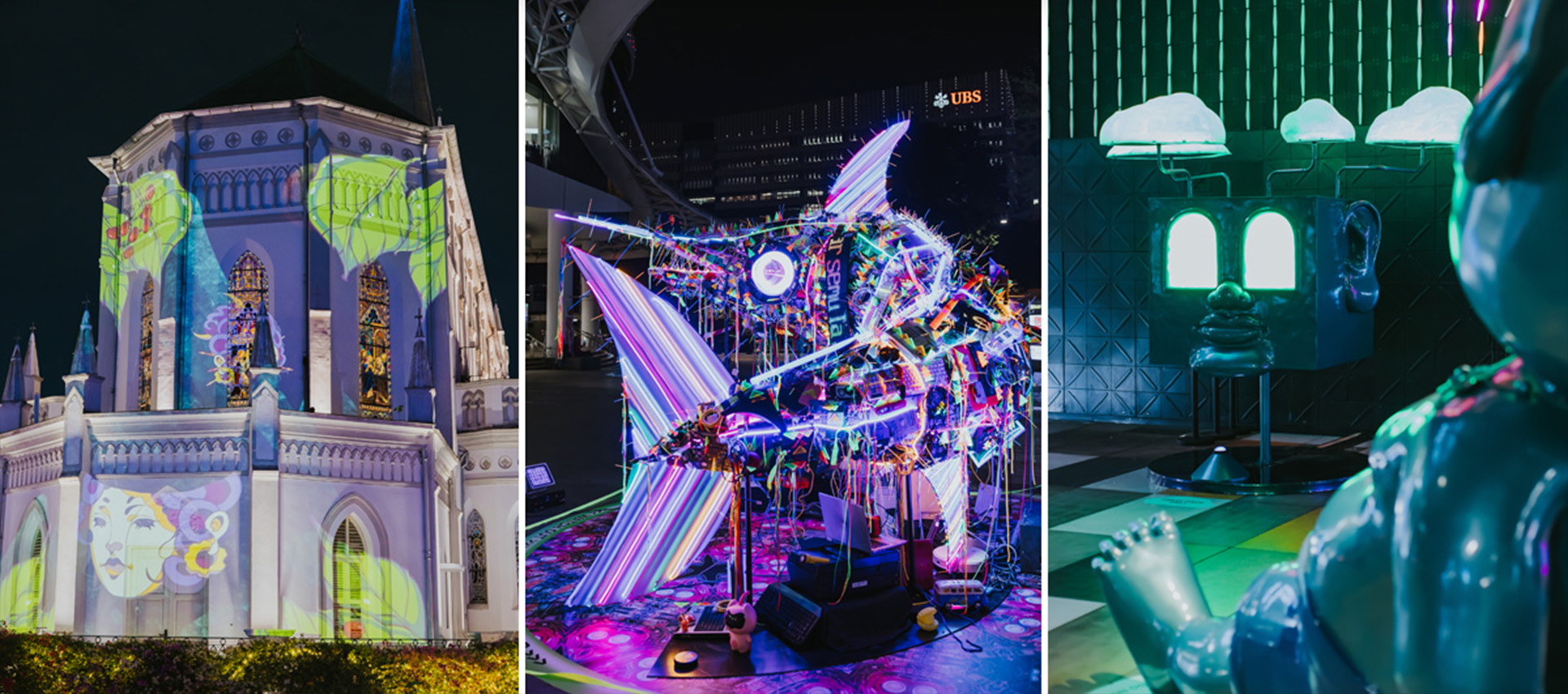
I went out over the weekend to Singapore Night Festival, which was a event that took place over multiple locations (Bugis, Bras Basah etc) that features over 80 immersive experiences. The experience ranges from light installations, projection mappings to performances. It was a great opportunity for me to seek out inspirations for my research topic as there's plenty of Multisensory Interfaces to dissect and analyse.

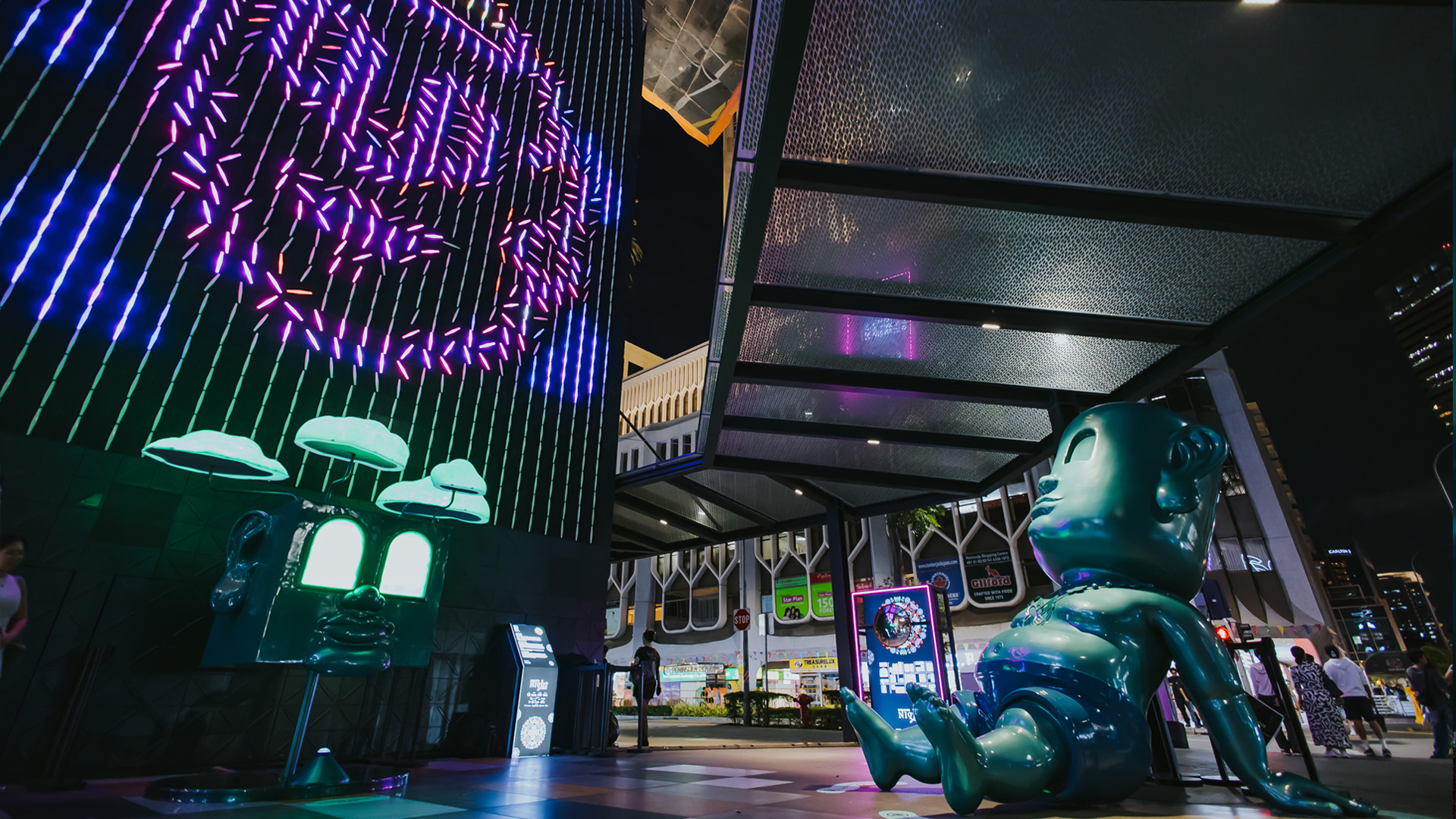
Ku the Dreamer by Tung Crazy Monkey

Ku the Dreamer What is the project about?

Ku the Dreamer is an art installation that aims to prompt reflection within its audiences. Created by Tung Crazy Monkey, a Visual Artist from Vietnam, It tells the story of a boy named KU, sitting calmly in busy streets as the world rushes past, looking into his box of dreams and dreaming about them. The interaction is simple, audiences just have to press a button below the box of dreams. Afterwhich, an interesting visual sequence plays on Funan’s interactive wall, symbolising Ku’s dreams.

What did I like about it?

Tung did a great job at using immersive space design and technology to tell a story. It feels like a jab at the work culture we have locally, where people focus too much on work and neglecting their dreams and passion. I really appreciate this storytelling and reflective nature of the installation and felt that It was effective in delivering its narrative to audiences. I also adore the design of physical sculptures and its combination with creative technology, bringing life to conventionally stationary sculptures.

Some key learning points 1. Mixing Sculptures with Creative Tech

One thing that stood out to me was how the use of Creative Technlogy was used to bring life onto physical sculptures through the addition of button interactivity, audio and visual effects. This reminded me of the possiblity of combining physical outcomes with Technology.

2. A Different Presentation away from Screens

For me, I have been quite used to using screens as a presentation medium for my creative coding projects (I.E Arduino Wishing Well used a screen to show visuals). However, seeing Tung utilizing the kinetic wall and sculpture as a medium to present their coded outcomes sparked a idea in me to try out other presentation mediums.

Be your own Hawker What is the project about?

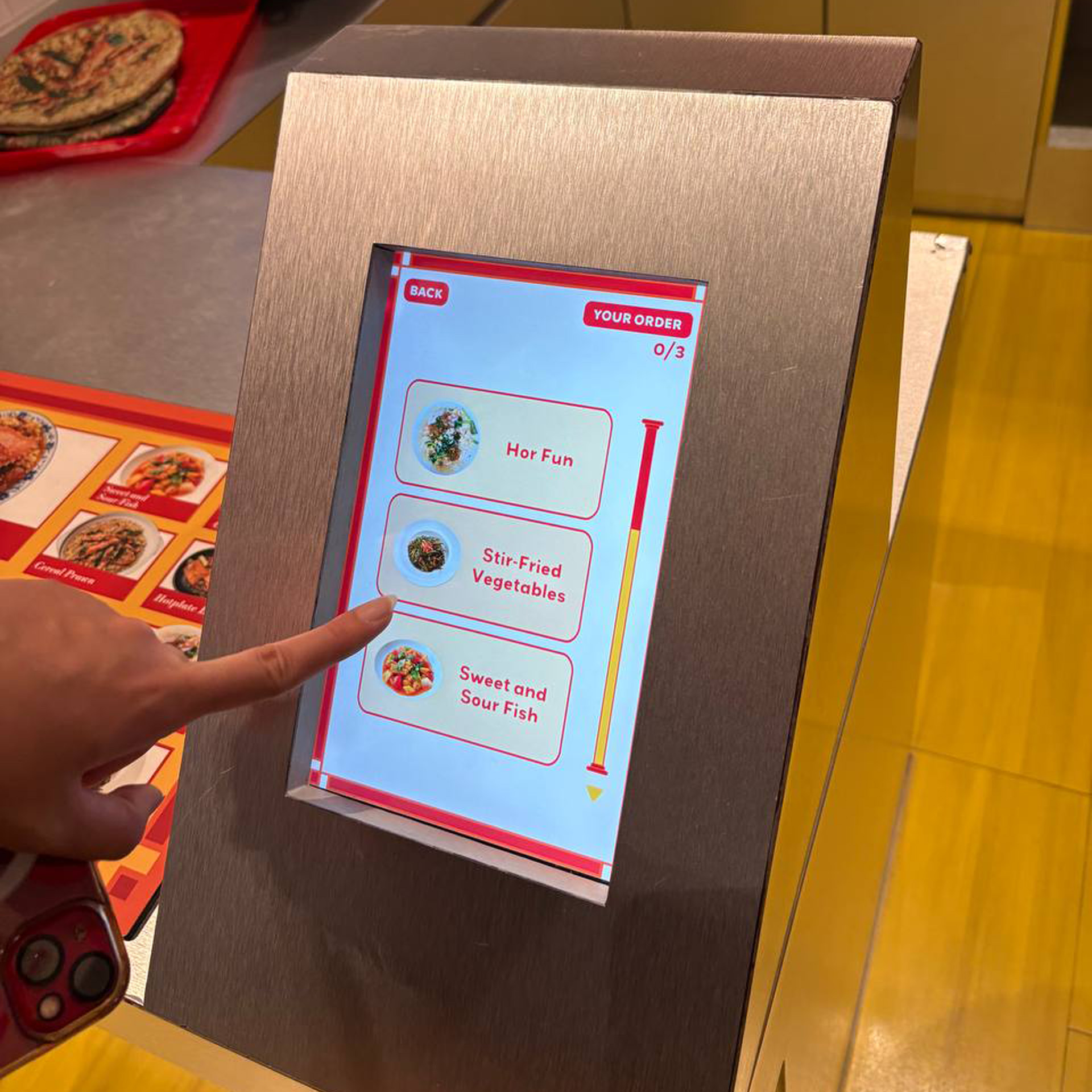
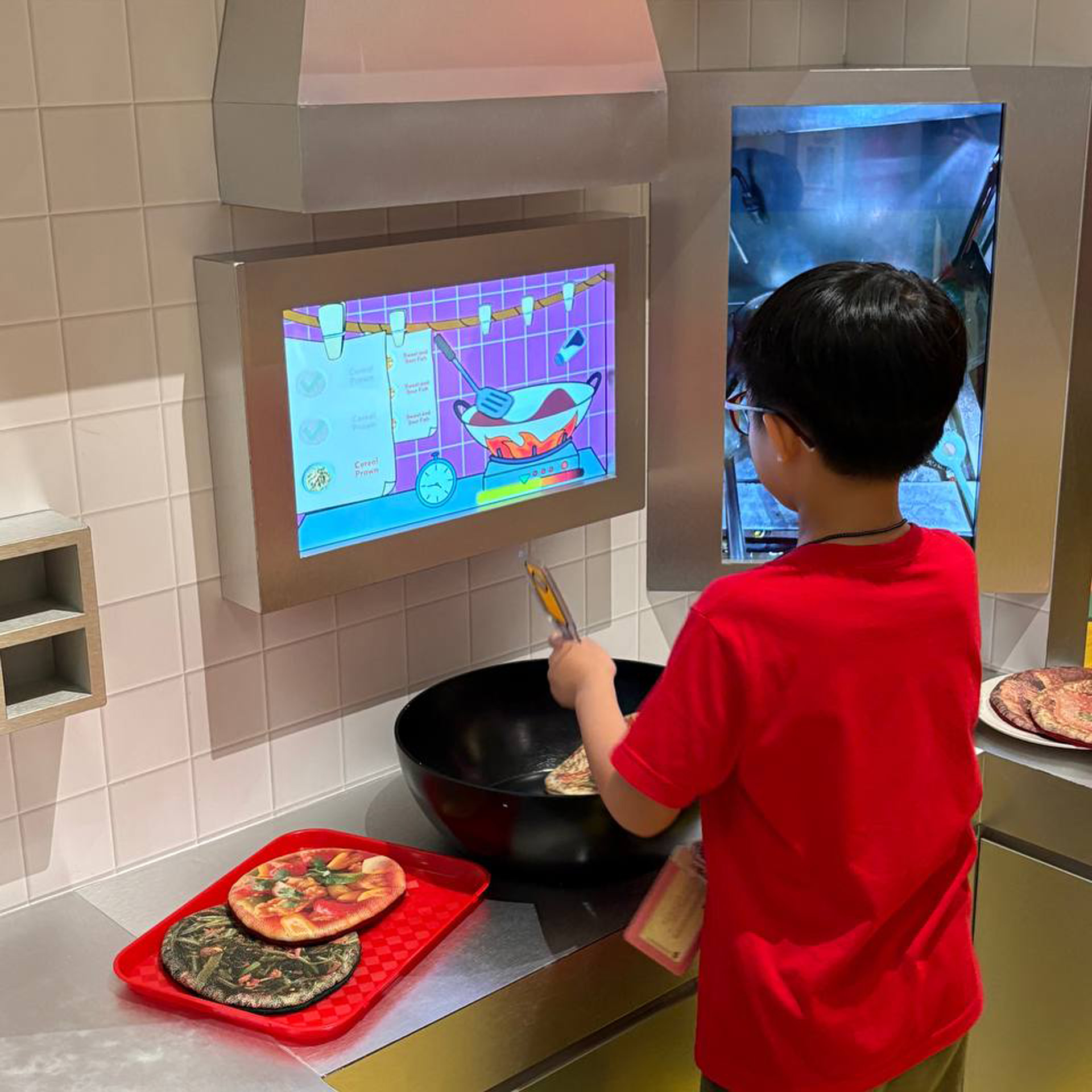
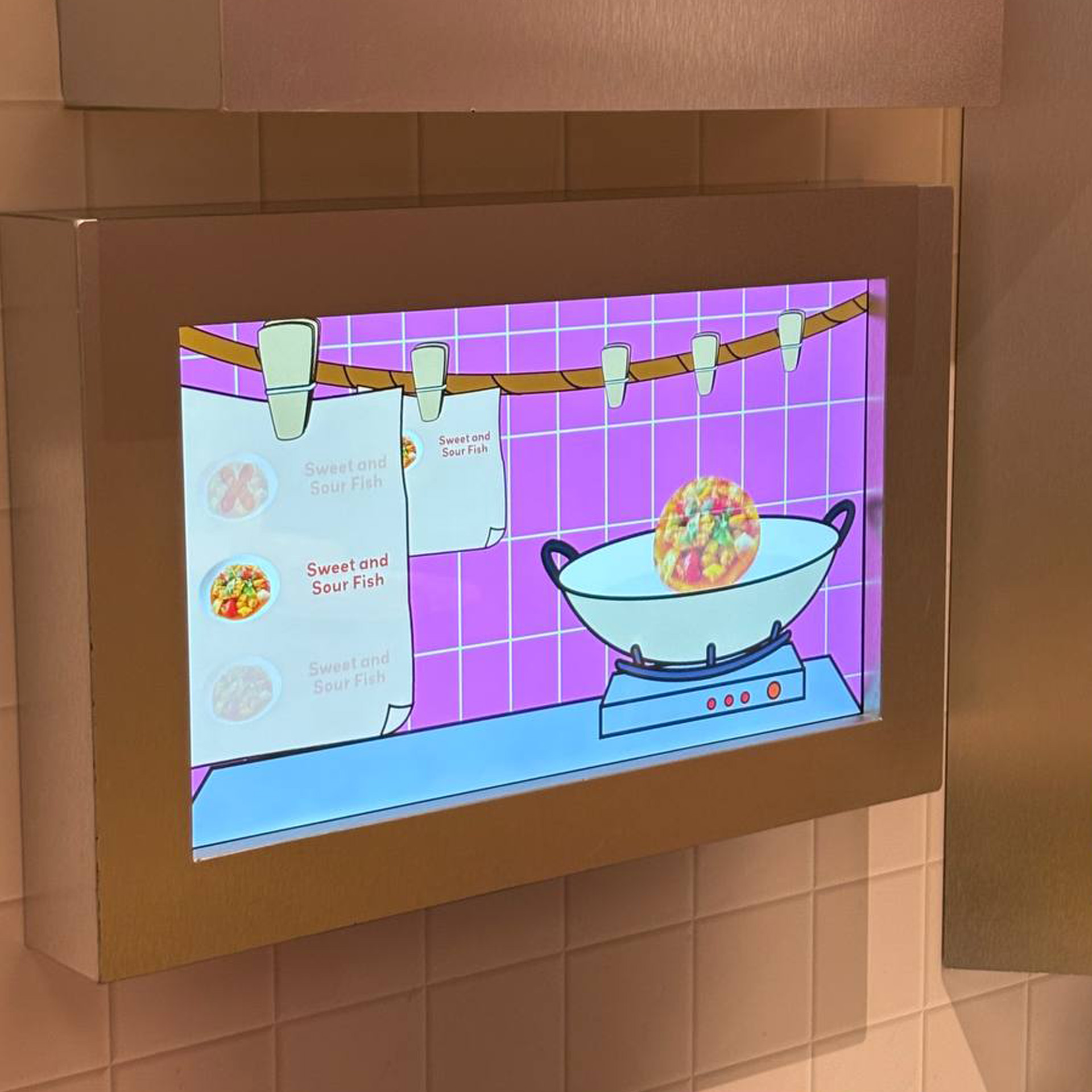
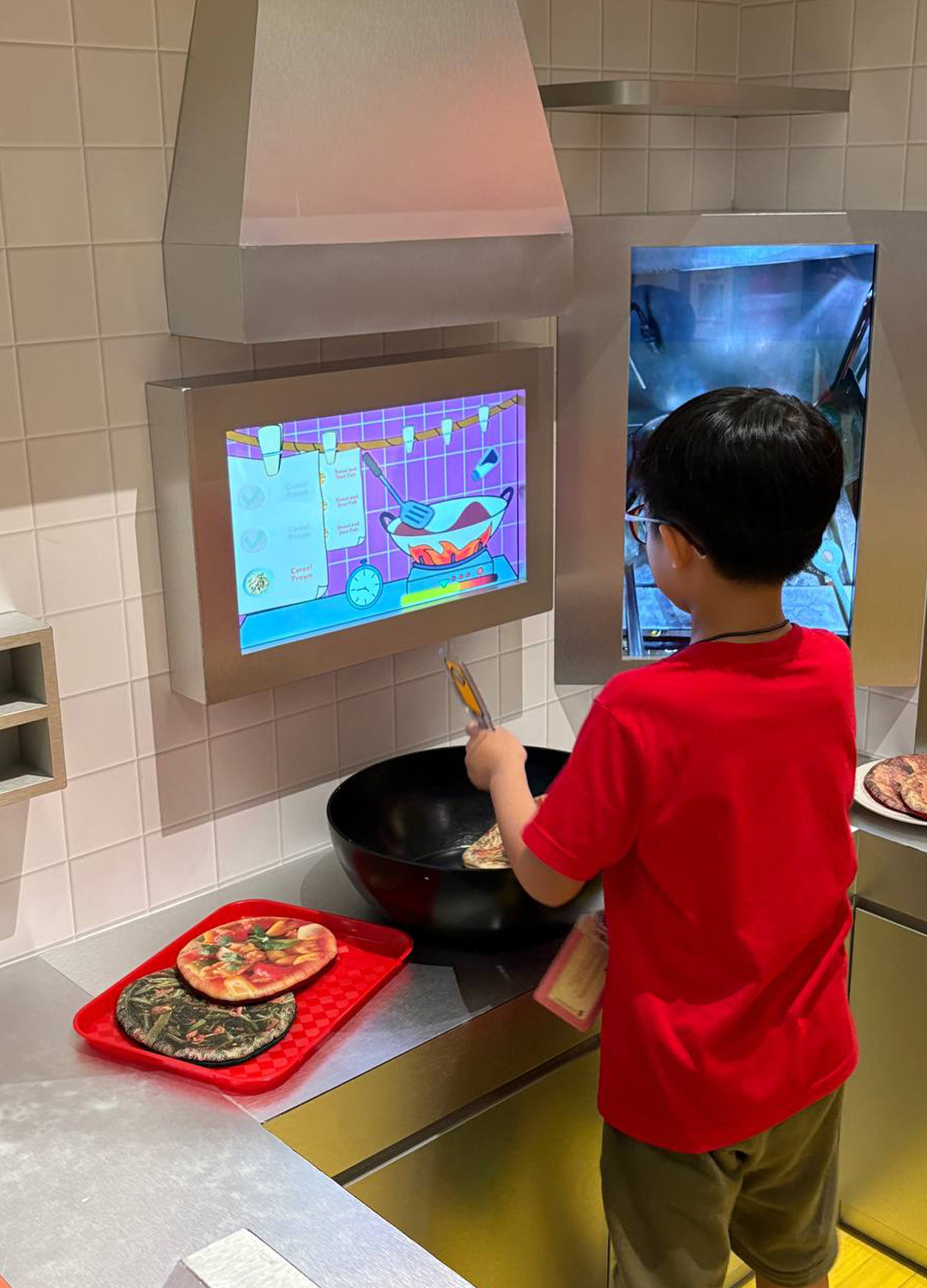
Singapore Night Festival had free entry for adults into the Children Musuem of Singapore, where there were interactive exhibitions meant for Children to learn about our country's cultural heritage. Within the musuem, I particularly like this experience where kids can be their own “hawker” to prepare the food that customers order through the screen kiosk. Though I am not sure how it works exactly, the wok can detect which food the child has placed within it, detecting whether it's correct. While it's on the wok, there’s also a cooking timer that activates, indicating when it's done. The child then places it on the serving tray, completing the order. Looking at this, I just wonder why I didn't come here when I was younger!

What did I like about it?

I felt that the interaction itself is really fun. It is not everyday where we get to be our own "hawker", and I believe that this novel aspect of the multisensory experience makes the learning of our hawker cultural particularly memorable and effective for the kids involved. It is also important to note that while the experience is fun, the design interventions (cooking on the wok and kiosk ordering) also made sense in context of the hawker experience, thus making it not gimmicky.

Some key learning points 1. Power of Interactive Storytelling

This case study serves as a example of how multisensory experiences facilitate storytelling. When the kids got to experience the POV of a hawker themselves, they get to understand the stories of hawker culture not just by seeing, but also by feeling (through tactile and audio feedback). This additional dimension of "feel" helps them understand the narrative of hawker culture better.

2. Overcoming Practicality Concerns

It would be very difficult to offer a hands on cooking experience for young kids due to safety concerns. This experience shows how Multisensory Interfaces can help make such experiences more accessible and safe, through the integration of creative technology that simulates cooking. I can only imagine the excitement I would feel as a kid if i get the permission to cook (safely)!

SINGAPORE NIGHT FESTIVAL WAS REALLY
FUN AND INSPIRING
Reading 2 - Designing Interactions
What is the book about?

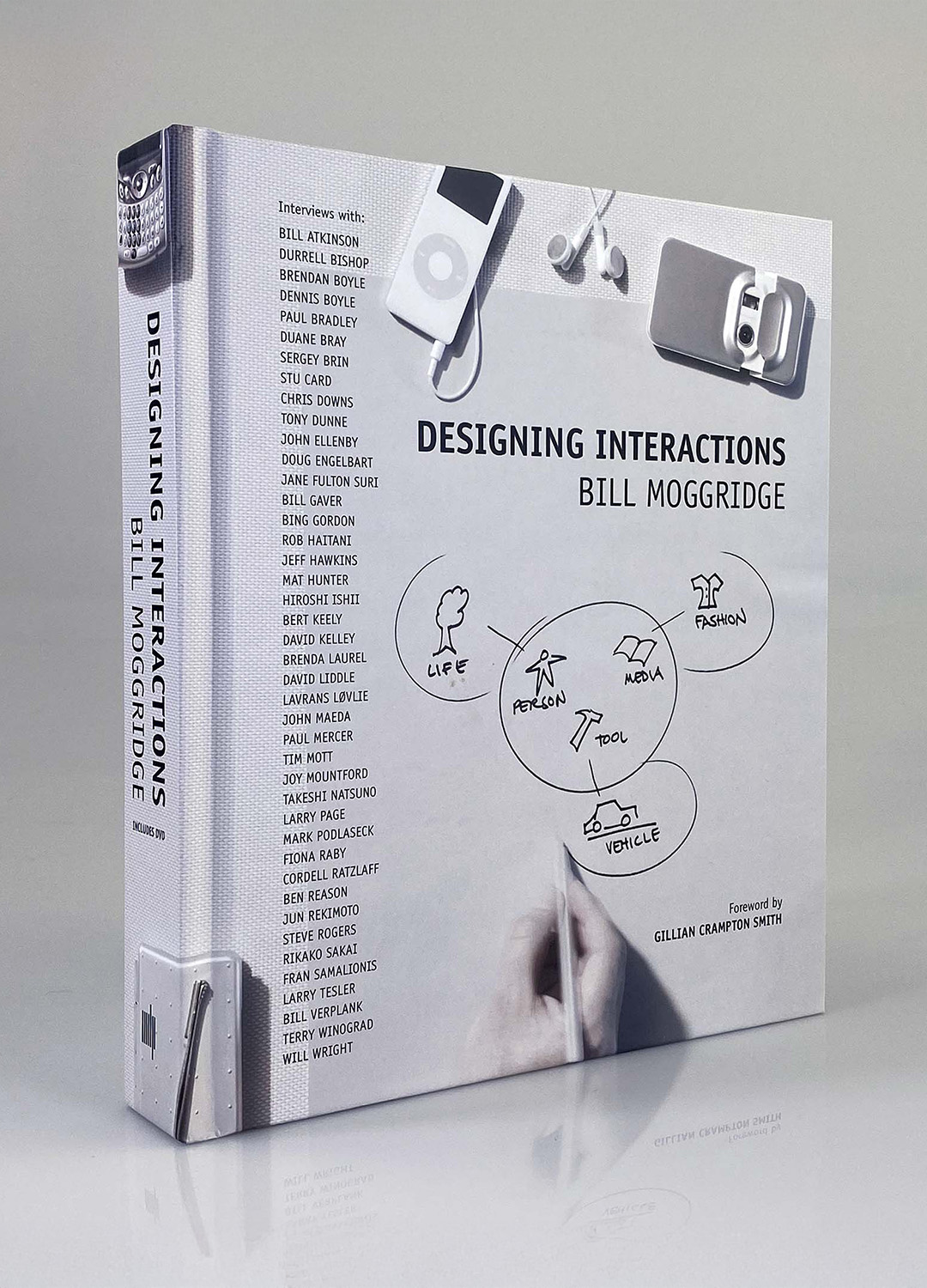
Designing Interactions written by Bill Moggridge dives into the inner workings of Multisensory Interfaces and experiences through interviews with established designers such as Durrell Bishop, Joy Mountford and also Tangible Interface design Icon, Hiroshi Ishii. The interviews provide insights into their thought processes, revealing design frameworks and principles—such as Tangible User Interfaces—as well as discussions of their past multisensory projects.

Find out what I learnt below!

Reading 2: Designing Interactions
Bill Moggridge

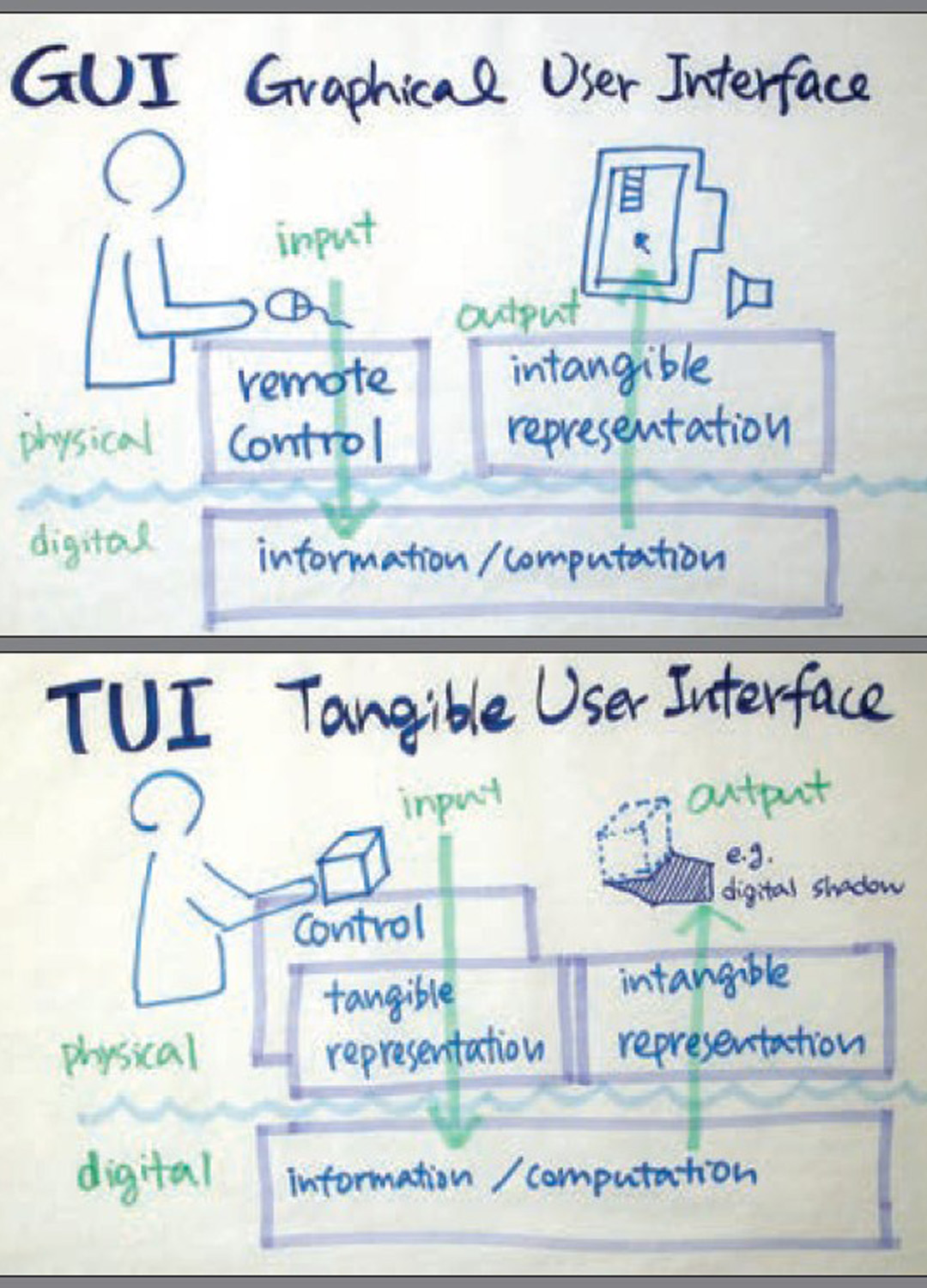
  • Graphical and Tangible User Interface Concept

  • Example of Tangible User Interface

Tangible User Interfaces (TUIs) and Graphical User Interfaces (GUIs)

Whilst I am familiar with keyboard and mouse interfaces, it was insightful to learn a defining term for it – Graphical User Interfaces. The book offers a contrasting framework, coined as Tangible User Interfaces, that uses tangible forms to be used as input/control. We can look back onto the previous example we saw on the “Be your own Hawker” experience as an example, where the wok can be seen as a tangible input, generating an intangible representation (visuals on screen).

Designing Objects to be Themselves (Durrell Bishop)

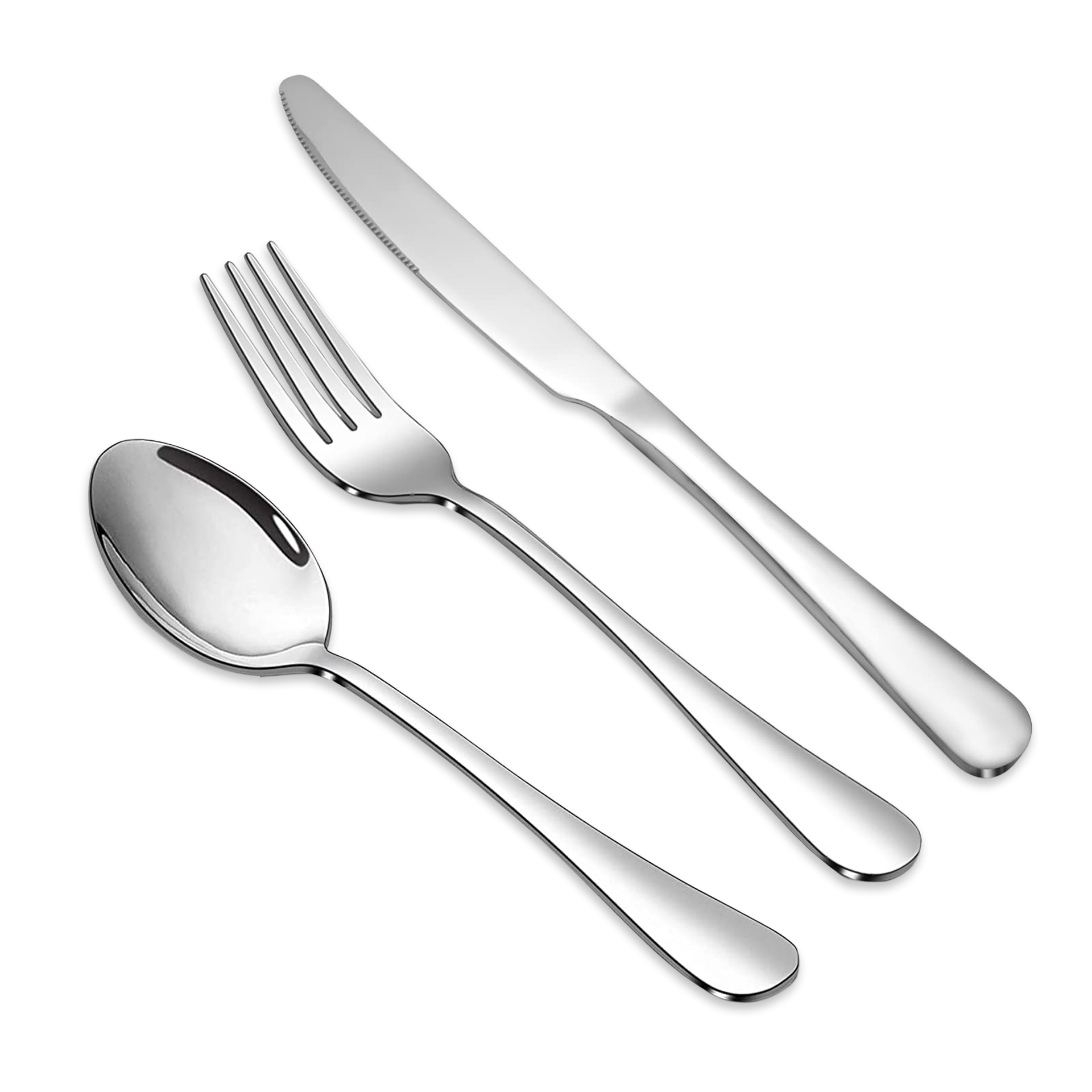
A particular school of thought shared by Designer Durrell Bishop grabbed my attention. Durrell proposed that objects should look more like their intended functions. He gave the example of kitchen accessories such as knives and spoon, where we can understand how to use them based on their appearances. Many technologies lack this intuitiveness, where the product looks just like a black box with buttons. Its functions are only understood when we read the text tagged to the buttons.

A INSIGHTFUL WEEK INDEED